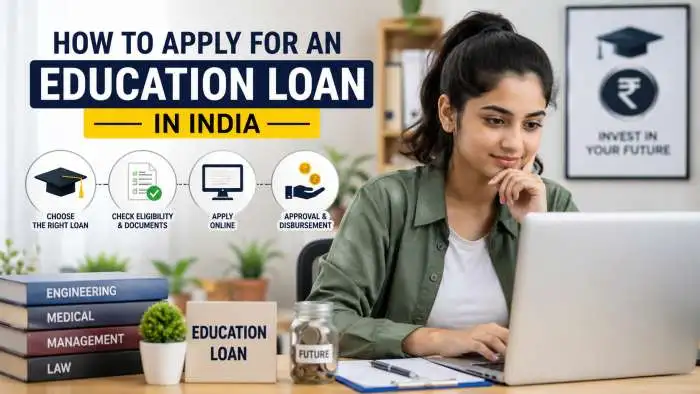
Students in India often find it hard to pay for higher studies. College degrees cost a lot of money. To help students, the government provides digital platforms and schemes. However, many students get confused between the old Vidya Lakshmi loan portal PM and the new PM Vidyalaxmi scheme education loan.
This complete guide explains both options in plain words. You will learn how to log in, how to fill out the application form, which banks are available, and how the new digital money app pays back your loan interest.
The Real Difference Between Vidya Lakshmi and PM Vidyalaxmi
Many people think these two options are the same. They are actually different tools that work together.
- Vidya Lakshmi Loan Portal: This is a website run by NSDL e-Governance. It started in 2015. It is an online space where any student can apply for a normal education loan from multiple banks using just one form. It acts like a bridge between you and the banks.
- PM Vidyalaxmi Scheme: This is a central government plan launched at the end of 2024 and operating through 2026. It focuses on helping smart students who get admission into India’s top 860 high-quality colleges. This scheme gives loans without asking for property or a guarantor. It also offers lower interest rates through government support.
If you go to a top college, you can use the new portal for the PM scheme. If you go to other regular colleges, you use the classic portal to find regular bank loans.
Key Benefits of the PM Vidyalaxmi Scheme
The new scheme helps students who do not have rich backgrounds. Here are the main facts about this system:
- No Security Needed: You do not need to give house papers, land papers, or fixed deposits as collateral. You also do not need an external person to stand as a guarantor.
- No Maximum Limit: The loan amount matches your real college fees and living costs. There is no fixed upper limit on how much money you can borrow for your education.
- Long Repayment Time: You get up to 15 years to pay back the loan after your studies end.
- Government Guarantee: The government provides a 75% credit guarantee to the bank for all loans up to ₹7.5 lakhs. This makes banks feel safe to give you money.
Understanding Interest Subsidy
The scheme cuts down your interest costs during your study years and one year after graduation. This waiting period is called the moratorium period.
- Family Income Under ₹4.5 Lakhs: You get a 100% full interest subsidy on loans up to ₹10 Lakhs if you study professional courses.
- Family Income Up to ₹8 Lakhs: You get a 3% discount on your loan interest for loans up to ₹10 Lakhs. The government limits this 3% benefit to 1 Lakh students every year.
You may also read :- Guide to PM Vidyalaxmi 3% Interest Subvention Eligibility 2026
How to Register and Login on the Student Portal?
To start your application, you must use the official online platform. Follow these basic steps to manage your profile:
Step 1: Account Creation
Go to the official website. Click on the registration button. You must type your real name as it appears on your school certificates. Enter your personal email address and your active mobile number. Create a strong password that you can remember.
Step 2: Verification
The system will send an activation link to your email. Click that link to open your account. You will also get a one-time password (OTP) on your mobile phone to check your identity.
Step 3: Regular Student Login
Once your account is active, go back to the homepage. Click on Vidya Lakshmi portal login student. Enter your registered email address and your password. Now you can see your personal dashboard.
How to Fill the CELAF Form Without Mistakes?
The Common Education Loan Application Form (CELAF) is the single most important document on the portal. All banks use this exact same form to read your details. If you make a mistake here, banks will reject your request.
Part 1: Personal Information
Type your full name, date of birth, and social background. You must link your Aadhaar Card and PAN Card. Make sure the spelling of your name matches on all these documents.
Part 2: Academic Record
Enter your marks from your 10th standard and 12th standard exams. If you are joining a master's degree, enter your graduation marks. You must upload your official final mark sheets.
Part 3: Course and College Details
Select your college name from the list. Enter the exact name of your degree course. You must upload your official Admission Letter or Offer Letter sent by the university.
Part 4: Costs and Loan Amount
Write down the complete cost of your education. This includes your tuition fees, exam fees, hostel rent, library costs, and the price of a computer or laptop. Subtract any scholarship money you receive. The final amount is your required loan sum.
Part 5: Co-Applicant Details
An education loan requires a joint borrower. This person is usually your father, mother, or legal spouse. You must enter their income details, PAN card, and employment records.
Common Mistakes that Cause Rejection:
- Uploading blurry scans of your documents.
- Writing wrong bank account numbers.
- Spelling your name differently from your Aadhaar card.
- Selecting a college that is not approved by the government.
Official Bank List and Interest Rates
Many top public and private financial institutions are part of this system. Here is a list of prominent lenders you can select inside the portal:
- State Bank of India (SBI)
- Canara Bank
- Bank of Baroda
- Central Bank of India
- Union Bank of India
- Punjab National Bank
Understanding Interest Rates
The portal does not decide the final interest rate. Every bank has its own rate rules. They calculate this using their External Benchmark Lending Rate (EBLR) plus a small extra percentage.
The table below shows the general range of interest rates you can expect for education loans up to ₹10 Lakhs:
| Name of the Bank | General Interest Rate Range | Special Benefits |
| State Bank of India | 8.15% to 11.15% | Discounts for girl students |
| Canara Bank | 8.60% to 10.90% | Manages the new PM digital app |
| Bank of Baroda | 8.55% to 11.25% | Lower rates for top-tier colleges |
| Union Bank of India | 8.80% to 11.50% | Fast digital tracking |
Note: These rates change over time based on Reserve Bank of India rules. Always check the live dashboard for the exact current rate.
What is the PM Vidyalaxmi Digital Rupee App?
The PM Vidyalaxmi Digital Rupee app is a brand-new system created to give you your interest subsidy money safely. It is built by Canara Bank on behalf of the Ministry of Education. It uses Central Bank Digital Currency (CBDC) token technology. Instead of sending physical cash or bank deposits, the government sends your interest subsidy directly to this mobile app.
How to Use the Digital Rupee App
1. Download the App: After Loan Approval.
Once your bank approves and pays out your first semester fee, download the official application from the Google Play Store or Apple App Store.
2. Create CBDC Wallet: Aadhaar Verification.
Register using the exact mobile number linked to your bank account. Use your Aadhaar card and an OTP to set up a secure digital currency wallet.
3. Map Your Account: Automatic Process.
The app identifies your active education loan and links it to your digital wallet automatically. You will see your loan details on the screen.
4. Receive and Redeem Subsidies: Tenure Period.
When the government releases your interest subsidy, it arrives in your app wallet as digital rupee tokens. Click the redeem button inside the app to shift this money straight into your loan account to cut your balance.
Checklist for Students
Before you log in to begin your application, make sure you have these items ready on your computer desk:
- Your PAN card and Aadhaar card copies.
- Your co-applicant's income proof or salary slips.
- Clear PDF scans of your 10th and 12th mark sheets.
- The official college admission letter showing your seat confirmation.
- A detailed written fee structure signed by the college accountant.
- A mobile phone with the SIM card linked to your Aadhaar number to receive OTPs.
Using this single digital method helps you focus on your education instead of running around bank branches for loan approvals. Keep your documents accurate, choose your banks wisely, and track your cash through the digital rupee app.
Conclusion
The PM Vidya Lakshmi loan portal makes education loans easy for students. You can get up to ₹10 lakh without collateral, with a 3% interest subvention benefit. The portal brings multiple banks together, so you can apply to three banks at once and increase your chances of approval.
To apply, register on pmvidyalaxmi.co.in, fill your application, complete the CELAF form, and upload all required documents. The process takes 7 to 15 days. Choose banks that offer good interest rates and fast processing.
This scheme helps many students who cannot afford higher studies. Use this opportunity to get your education loan easily. Start your application today and take the first step toward your career goals.
FAQ
Q: How much loan can I get under PM Vidya Lakshmi?
A: You can get up to ₹10 lakh without collateral. This is the maximum amount under this scheme.
Q: Do I need to provide collateral for the loan?
A: No, you do not need collateral for loans up to ₹10 lakh. This is one of the main benefits of the scheme.
Q: What is the interest subvention benefit?
A: The government pays 3% of the interest for you. This reduces your total cost. If the bank charges 10%, you pay only 7%.
Q: Can I use the loan for studies abroad?
A: Yes, the loan covers higher studies in India and abroad. For abroad studies, it includes travel expenses and living costs.
Q: How long does loan approval take?
A: Approval takes 7 to 15 days. Some banks process faster than others. Public sector banks like SBI often have quicker processing.
Q: Do I pay interest while studying?
A: No, interest starts after your course ends. This is called the moratorium period. Some banks also give a 6-month grace period after graduation.
Q: Can I apply to more than 3 banks?
A: No, the portal allows only 3 banks. This limit keeps the system fair for all students.
Q: What if my loan is rejected by all banks?
A: If all three banks reject your application, you can try other education loan schemes. You may also apply to banks outside the PM Vidya Lakshmi portal.
Q: Is the loan amount given directly to me?
A: The loan money is sent to your college for fees. For other expenses, it goes to your bank account or Digital Rupee wallet.
Q: Can I prepay the loan before the due date?
A: Yes, you can prepay the loan. Most banks allow prepayment without penalty after you start earning. Check with your bank for specific rules.
 in India.webp)