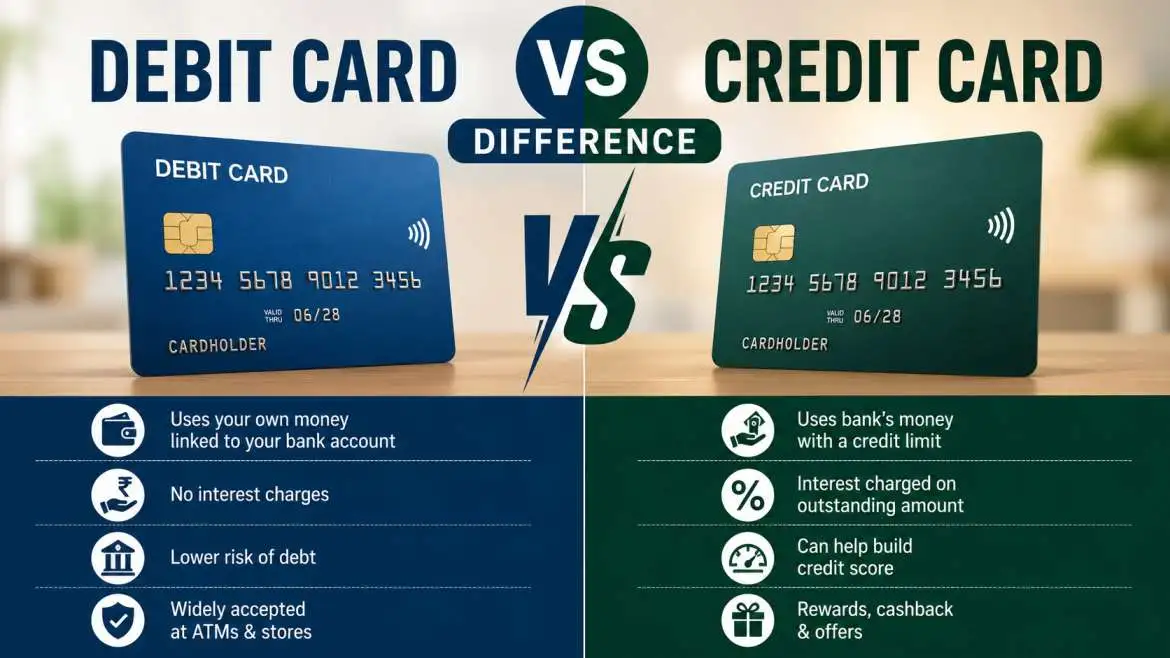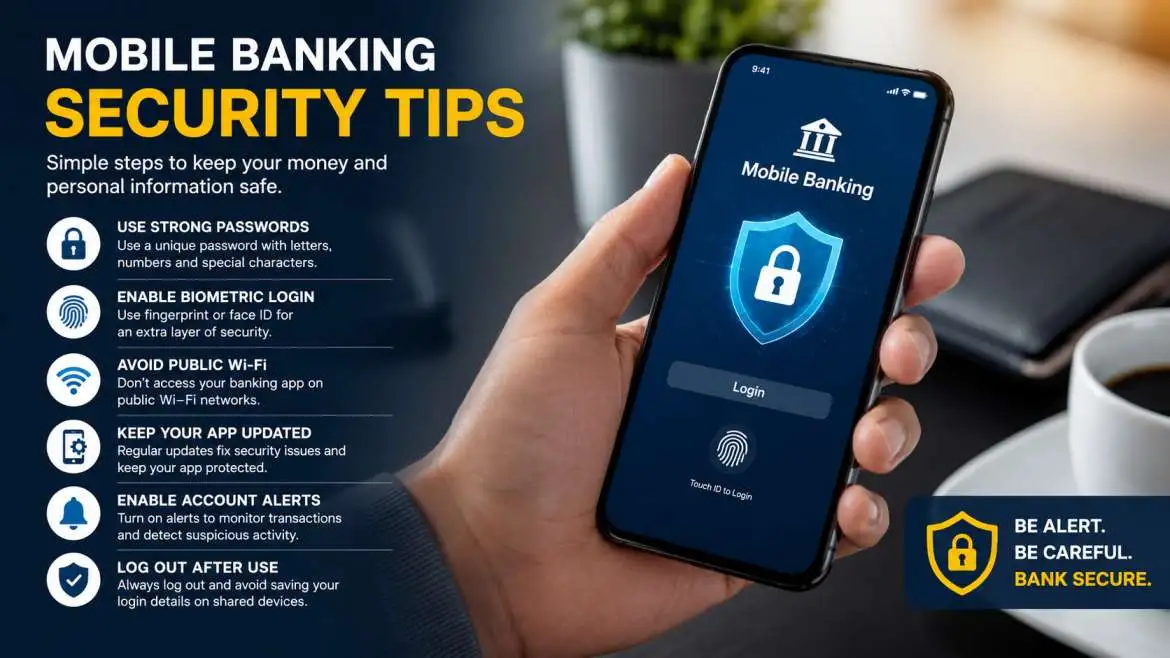
You want your money to stay safe, right? Then you need to twist some settings and use smart mobile banking security tips before someone messes with your account. First, go flip the switch on two-factor authentication. Next, hook up your fingerprint or face ID so nobody can eyeball your password over your shoulder.
Do not let your apps sit there getting dusty either—keep them updated. Oh, and stop connecting to that open public Wi-Fi down at the local coffee shop, it is an absolute playground for hackers looking for an easy target. Turn on instant text alerts so your phone blows up the second a single dollar moves. Keep your phone locked down tight, and your cash stays exactly where you put it.
Why Mobile Banking Security Matters Today
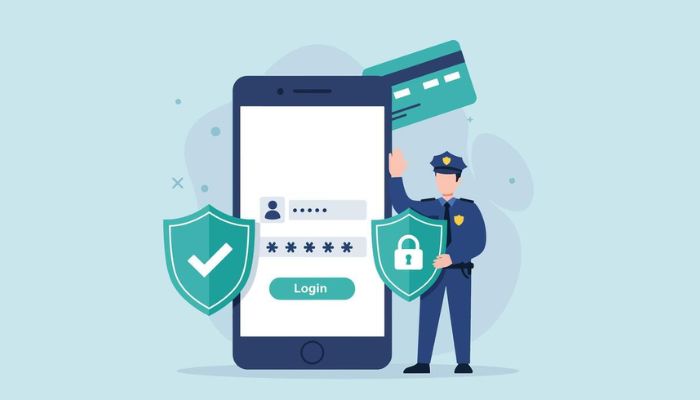
Think about your daily routine. You check your bank balance while your coffee brews. You pay a bill while riding the bus. Maybe you send cash to a coworker while waiting for lunch. It takes two seconds. But that exact convenience is why scammers actively look for ways to target your phone.
I have spent years working inside the digital safety world. I watch how actual scammers get into private accounts. Honestly, it doesn't look like a spy movie at all. Most people lose their money because of a tiny mistake they didn't even notice making. Your smartphone holds your whole financial life. Treat it like a real brick bank vault.
When you open a banking app, your personal info travels through the air. If you leave that digital door wide open, someone can grab it. Changing your phone settings is the single fastest way to stop a thief before they get their hands on your hard-earned wallet.
You may also read :- Evolution of Digital Banking in India: A Complete Guide
The Dangers of Phishing Scams and Fake Apps
Let's face it, internet thieves want an easy job. They don't want to spend months trying to break into a giant bank's computer network. Instead, they just trick you into handing over your password. This trick is called a phishing scam, and it usually starts with an annoying text message or a scary email.
So, out of nowhere, your phone buzzes with a text. It says your debit card is completely blocked. Panicking, you notice a tiny link in the message telling you to click it to sort out the mess. You tap it, and boom—you land on a login page that looks exactly like your regular bank. Same logos, identical layout, perfect colors. But here is the catch: it is a total trap. The exact second you type in your username and hit enter, some random crook on the internet steals your keys.
Scammers even sneak fake copycat apps into official mobile stores. They copy everything to fool your eyes. To stay completely safe, never just guess in a search bar. Go directly to the bank's main website and use their real download button.
Essential Mobile Banking Security Tips for Daily Use
You don't need a high-tech computer degree to shield your money. You just need a couple of solid daily habits. Let's look at the absolute best moves you can make right now to lock down your accounts.
Turn on Two-Factor Authentication Instantly
Think of two-factor authentication, or 2FA, as a heavy double lock for your cash app. When you type your normal password, the app stops you. It wants a second proof. It sends a random, quick code to your text messages or a special security app. You have to type that code to see your money.
This stops hackers completely. Even if they buy your old password online, they get stuck. They can't log in because they don't have your physical phone sitting in their hands to read that secret text code. Open your settings and turn this on right away.
Use Biometric Logins for Faster Safety
Your thumbprint and your face belong to you alone. Modern phones have great scanners built right into the glass or power buttons. Most banking apps let you use these unique body features instead of making you type out a long password every time you want to see your balance.
Biometrics are incredible for security. A thief cannot fake your thumbprint on the fly. Plus, it keeps you safe from people standing near you in public who watch your fingers tap your secret code into the screen.
Create Strong Passwords and Change Them Often
If you use "123456" or your dog's name for your bank, go change it right now. Scammers use fast computer programs that guess millions of easy word pairs in a few seconds. You need a messy mix of capital letters, numbers, and symbols.
My Biggest Safety Rule: Never reuse your bank password on any other website. If a random online clothing store gets hacked, thieves will take your email and password and try it on every single banking app. Use a password manager to remember them all.
How to Protect Your Device from External Threats?
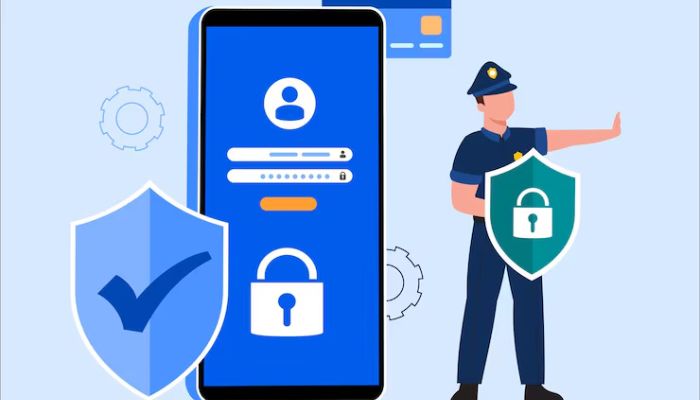
Look, your banking app doesn't live in a bubble. It is only as safe as the actual phone you are holding. If some nasty malware slips past your guard and hooks into your phone's main operating system, a scammer can literally mirror your screen from across the world. They see what you see. Because of that, you have to build a thick digital wall around the entire phone hardware itself before you even think about opening your wallet.
Update Your Phone Operating System Regularly
Big companies like Apple and Google are constantly playing a game of whack-a-mole with hackers. They stumble on scary security holes in their phone code every single week. The second they find a glitch, they drop everything to fix it and push out a software patch. If you are the type of person who constantly hits "ignore" or "remind me next week" when an update pops up, stop doing that.
You are basically leaving your front door wide open for internet thieves to wander right through. Get into your settings, set updates to automatic, and let your phone patch itself while you sleep.
Avoid Public Wi-Fi Networks for Banking
Free Wi-Fi at a coffee shop or airport feels great, but it is a total trap for your data. A hacker can sit a few tables away, join that same open network, and use free software to spy on your internet traffic. They can pull your bank password right out of the air.
If you need to move money while away from home, turn off your Wi-Fi completely. Use your cellular data plan because phone company lines use heavy encryption. If you must use public Wi-Fi, turn on a trusted Virtual Private Network (VPN) first to scramble your data.
Tracking Your Money with Real-Time Alerts
Catching a thief early is the difference between losing a few bucks and losing your whole savings. You can force your bank app to shout at you the second a single dollar moves.
Enable Instant Transaction Notifications
Look around in your banking app settings until you find the alerts tab. Turn on instant push notifications or text messages for every single debit card charge, ATM trip, and password change.
If a scammer somehow copies your card and buys something expensive, your phone will buzz instantly while you are sitting at home. You can call the bank's fraud line right then, freeze the card, and kill the charge before the thief even leaves the store.
Check Your Bank Balance Every Week
Don't wait for a paper statement to show up in your mailbox at the end of the month. Make it a rule to log in every Saturday morning to look over your history. Make sure you know where every dollar went. Crooks often run a tiny test charge of one dollar just to see if you notice before they go back and drain your whole account.
Smart Habits When Loading and Using Financial Apps
Where you find your software and how you handle your device on a normal day matters just as much as a complex password. Total safety is a daily lifestyle habit, not a one-time chore.
Download Apps Only from Official Stores
Stick completely to the Apple App Store or the Google Play Store. These giant tech platforms use heavy testing tools to scan new software for viruses before letting regular people download them. Getting your apps from random web forums or third-party sites is an easy way to get infected.
Log Out Completely When You Finish
Don't just swipe the app closed and assume you are good. Leaving it running in the background is a bad move. Imagine handing your phone to a friend to show off a vacation photo. They could easily swipe the wrong way and slide right into your cash apps by total accident. It only takes a second to tap the actual "Log Out" button. Make it a habit to do that every single time you finish checking your balance.
Advanced Protection Actions for High Security
If you want ultimate peace of mind, you can take things a step further. Turn your phone into an absolute digital fortress.
Turn on remote wipe options.
Phones tumble out of pockets in cabs, restaurants, and parks every day. If your device vanishes, you need a backup plan. Turn on "Find My" for Apple or "Find My Device" for Android immediately.
If someone steals your phone, you can jump onto any computer, log into your account, and blast a command to erase every file on that phone remotely. The thief is left holding a blank, useless piece of glass.
Never Jailbreak or Root Your Phone
When you jailbreak or root your phone, you smash the built-in safety walls that Apple or Google spent years building. Sure, people do it just to snag free themes, tweak settings, or grab banned apps. But doing this completely wrecks your phone's defense system.
You are basically throwing away your armor and leaving your private data wide open. It allows sketchy apps to read your private bank files. Keep your factory software locked down.
Summary of Crucial Mobile Security Steps
Let's look at the fastest wins for your account safety. Use this table to make sure your phone has its basic guard rails set up right now.
| Security Action | How Often to Do It | Why It Helps |
| Turn on 2FA | Just once | Keeps bad guys out even if they know your password |
| Run Software Updates | Automatically | Patches up secret holes used by internet hackers |
| Audit Transactions | Every single week | Catches tiny test charges before massive thefts happen |
| Ditch Free Wi-Fi | Always | Stops local snoopers from reading your private data |
Frequently Asked Questions About App Safety
Is mobile banking safer than online banking on a computer?
Yes, it usually is. Phones use a special system design called "sandboxing." This means every single app lives inside its own isolated wall and cannot peek at what other apps are doing. Old-school computers don't do this very well, which makes it easier for desktop viruses to steal passwords.
What should I do if I lose my phone with my bank app on it?
Take a deep breath and act fast. Borrow a phone and call your bank right away so they can block mobile access to your accounts. After that, hop onto a computer and use your phone's tracking tool to wipe all your personal data clean off the lost device.
Can a hacker get into my bank account if they have my phone number?
They cannot get in with just a number, but they will use it to target you with annoying text scams. They will send fake warnings pretending to be your bank to trick you into clicking bad links. Always call the real number printed on the back of your debit card to check if a warning is real.
Do I need an antivirus app on my smartphone for banking?
If you are using an Android phone, picking up a highly rated security app from the Play Store is a smart way to check your files. If you use an iPhone, you don't really need one as long as you keep your phone's core iOS software updated to the newest version.
Why does my bank app ask for my location data?
Banks use your phone's GPS to kill fraud attempts. If your phone says you are sitting in Chicago, but someone tries to buy an expensive watch with your card details in Paris, the bank's security brain flags the charge and blocks it instantly.
 in India.webp)